In this resources section I’ll be talking about Giphy, an online app that lets you easily create animated GIFs.
Giphy is a platform that lets you share and search for GIFs on the internet, where any user can store their own GIFs.
The name obviously comes from GIF, Graphic Interchange Format, and the format is characterised by being an animated image format lasting just a few seconds. It was created back in the 80s, but it’s now, 30 years later, that it has come into fashion and we can get real mileage out of it.
A picture is worth a thousand words, but — really? So how much is a GIF worth?
If we write content, the GIF is a magnificent ally: our content will gain in dynamism and will be far more appealing to everyone.
Giphy is a very powerful tool; through it we can share, create, search for and curate GIF content, which is hosted on the web.
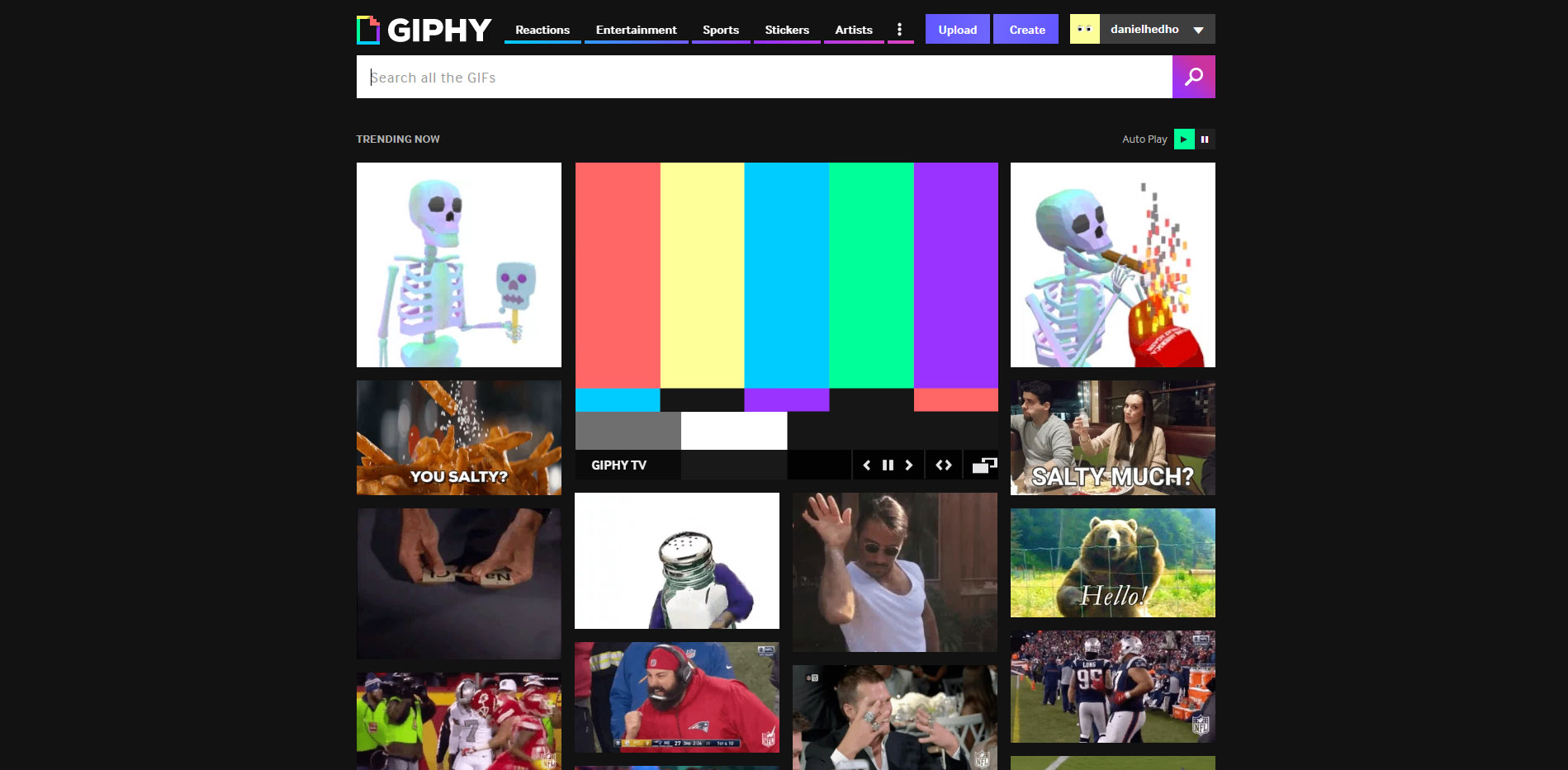
Giphy lets us create our own account to upload our GIFs, publish them for everyone to see, or keep them stored privately.
What does Giphy offer me?
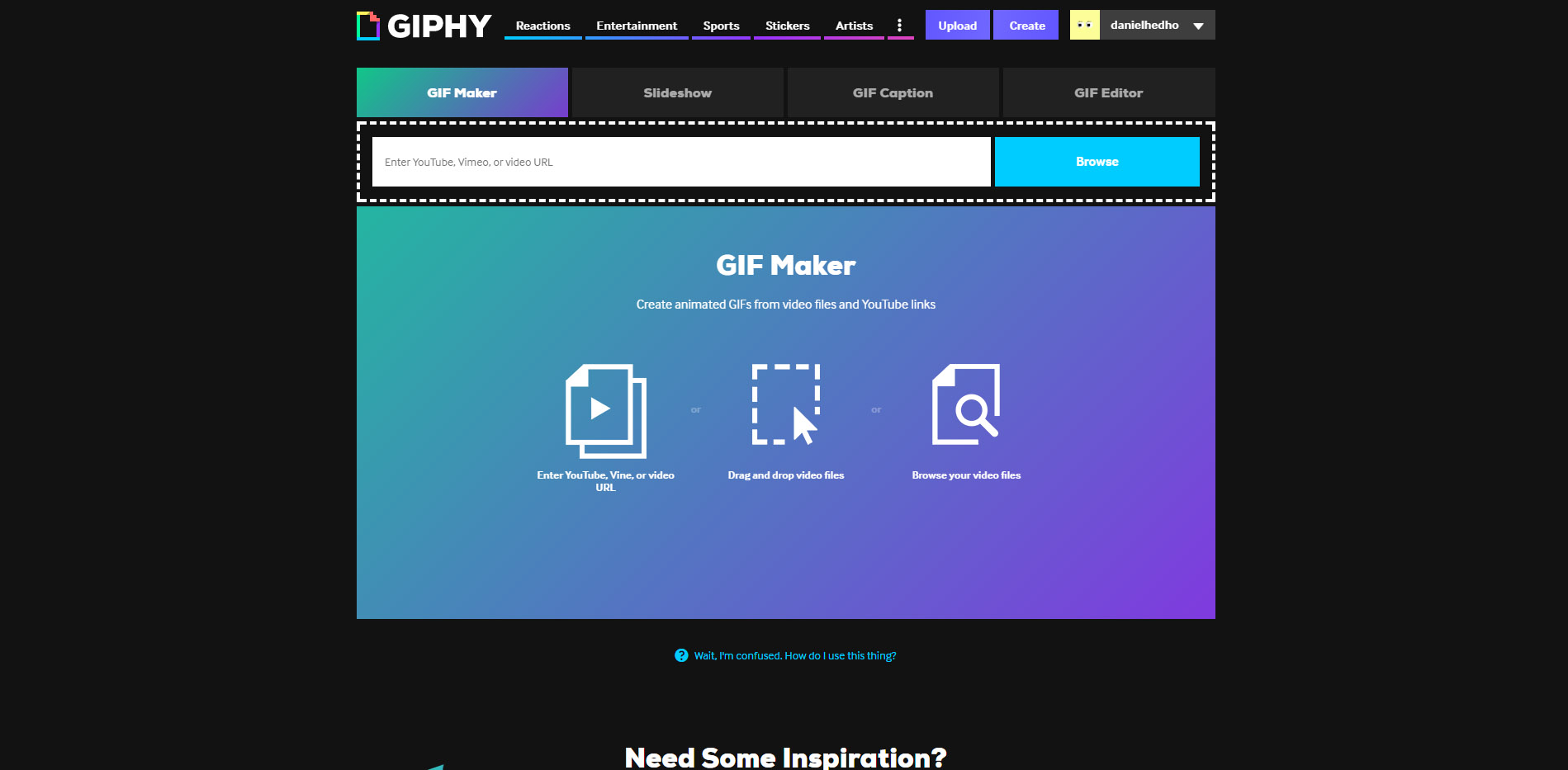
- Create animated GIFs from video files or YouTube links, GIF Maker
- Create animated GIFs from a series of images, Slideshow
- Add animated titles, subtitles and text to GIFs or photos, GIF Caption
- Add animated stickers, fun filters and text to your GIFs, GIF Editor
All four work in a very simple, intuitive way: it’s as easy as dragging and dropping the content it asks for onto the screen.
On top of that, as I said earlier, we can:
- Create an account
- Upload our GIFs
- Search for GIFs by category
That said, it’s worth bearing in mind that the GIF has advantages and disadvantages when it comes to using it in our digital project, content creation and so on…
One of the clearest advantages the GIF has is its capacity for synthesising information; these days the sheer volume of information and the speed at which content gets consumed make presenting information a real challenge.
So by using the GIF, we present information in a highly visual way.
If we choose a defined style — flat, shapes, colours and short text — we can turn data and news into content that’s easy to consume, memorable, and that our audience will thank us for and remember.
Concepts and information get condensed, and that makes them easier to grasp and digest.
But mind you, we need to think about when and where to use it; not everything goes.
GIFs are also very useful if we want to create animated infographics. In this case presenting the information is still straightforward even though the content is somewhat denser and more complex.
In these GIF-based infographics, animated elements sit alongside fixed ones.
They’re also widely used in mailing campaigns, a field where they get very good results, since the target gets more information than from a single image and can take in the whole product without a single click.
The advantages of the GIF

- The file size is far smaller than a video’s, so it’s all upside.
- It’ll give your brand or business a modern feel.
- It keeps users on your website or site for longer.
- They’re relatable and easy to consume
- On social media you can also make use of ready-made GIFs.
- Making a GIF is cheaper than making a video.
The disadvantages of the GIF

- You’ll spend more time creating a GIF than a still JPG image
- In email campaigns you’ll run into compatibility problems with Outlook.
- And finally, users are increasingly becoming bolder creatures, hungrier for emotion, and they demand more creativity and stimulation from brands.
Making good use of your resources is a decisive factor in hitting your goals.